AI documents with visuals
Create design docs, briefs, and explainers with AI and infographics.
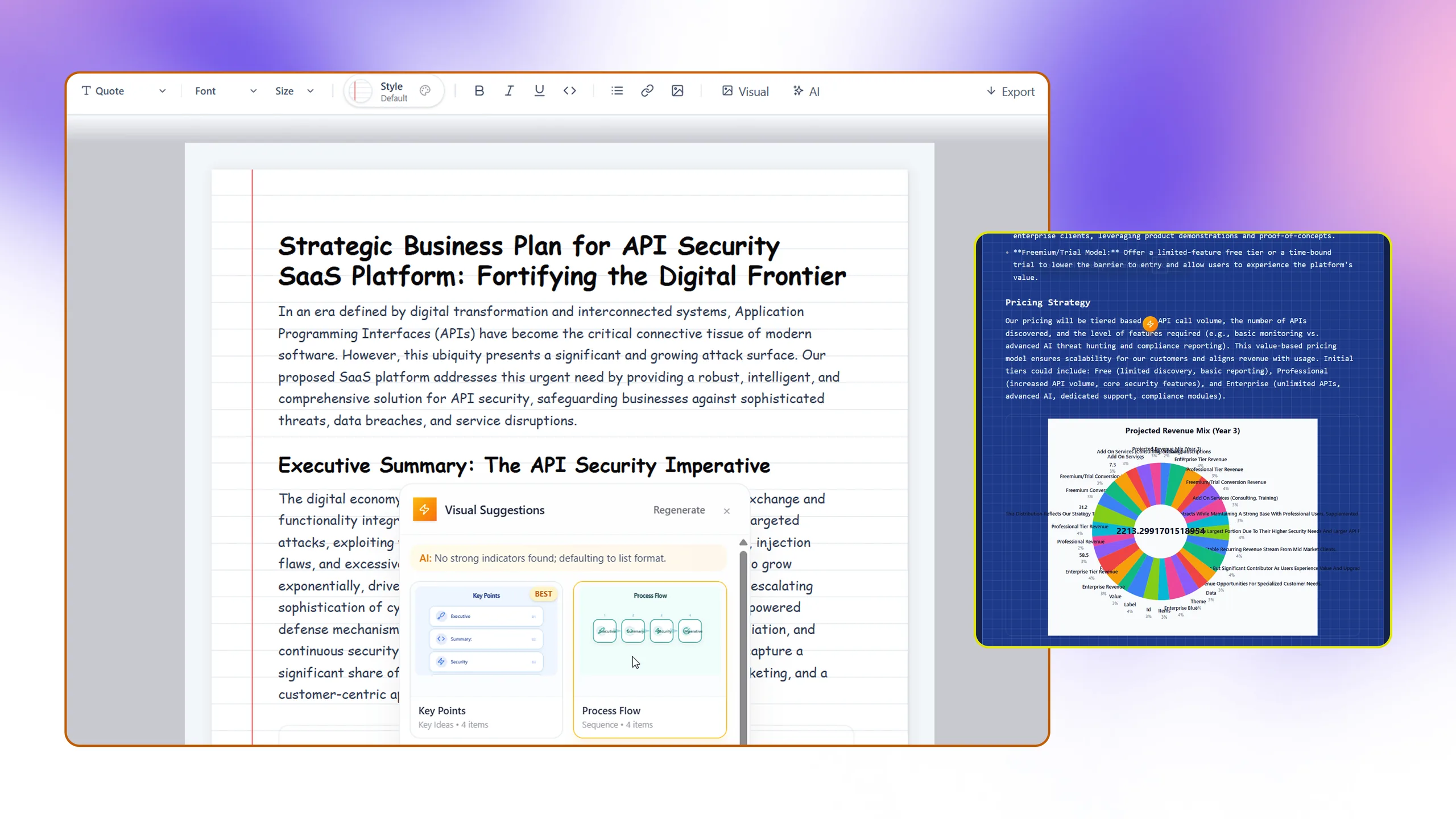
HyperDocs gives Architecto a polished long-form communication layer. Teams can draft, generate, and package architectural narratives with visuals, structured layouts, and reusable content instead of hand-assembling documentation outside the platform.
Design
Prompt, code, pattern, or live context
Review
Cost, threat, scale, and compliance
Document
CoDocs, HyperDocs, and share links
Govern
Discovery, drift, and IaC continuity
AI-assisted document drafting
Generate structured long-form content around architecture, delivery, or migration topics.
Visual-first documentation
Combine narrative text with visuals, diagrams, and presentation-grade document sections.
Reusable document workflow
Keep living documents inside the product instead of exporting every design conversation to disconnected tools.
How it works
The workflow behind HyperDocs.
Each step exists to reduce time-to-clarity for technical teams without forcing them into a separate diagramming or documentation toolchain.
Step 1
Seed the document
Start from a blank page, AI prompt, or generated architecture context.
Step 2
Assemble the narrative
Blend text, visuals, diagrams, and structured sections in one editor.
Step 3
Deliver the artifact
Share or export polished docs for stakeholders, delivery teams, or customer-facing communication.
Best fit
Integrations
Outputs
Related features
Explore the rest of the workflow.
Code plus docs workflow
CoDocs
CoDocs analyzes repositories and turns code structure into explainable technical documentation for engineers and stakeholders.
AI-native architecture creation
Architect AI
Architect AI creates structured architecture diagrams from intent so teams can start with a real system view instead of a blank canvas.
Architecture pattern library
240+ Patterns
Architecto includes a large pattern library so teams can accelerate architecture work with credible starting points.
Next step
See HyperDocs inside the full Architecto workflow.
Start on the free plan, then move from this feature into the larger architecture, review, and documentation flow when the team is ready.