Data architecture visibility
Visualize and shape database structure without losing schema detail.
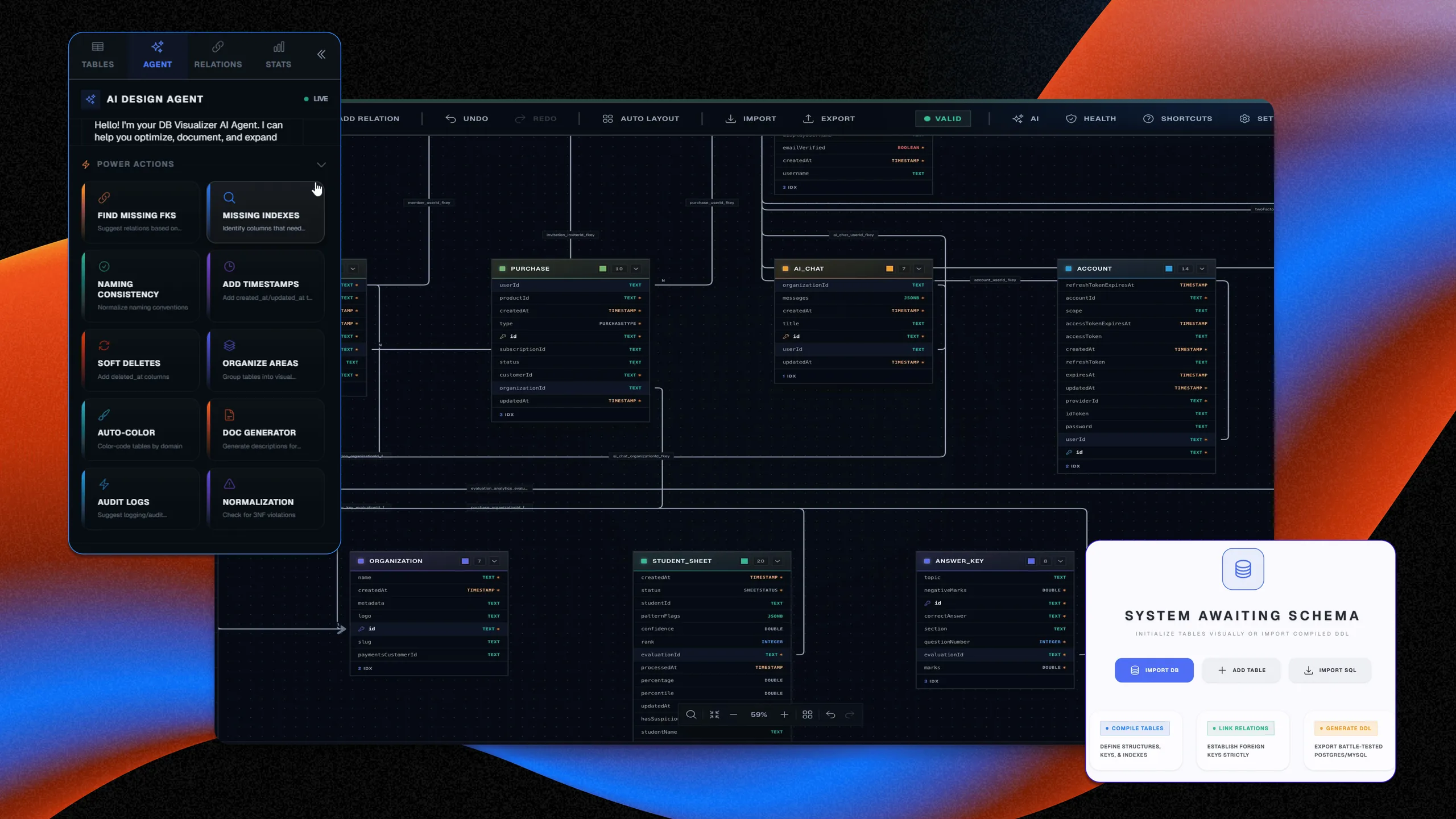
DB Visualizer is built for teams that need more than an ERD screenshot. It supports interactive schema visualization, AI-assisted schema refinement, design iteration, and export paths that make database architecture understandable across engineering, platform, and delivery stakeholders.
Design
Prompt, code, pattern, or live context
Review
Cost, threat, scale, and compliance
Document
CoDocs, HyperDocs, and share links
Govern
Discovery, drift, and IaC continuity
Interactive schema exploration
Inspect tables, relationships, and data structure in an editable visual surface.
Import and export flexibility
Work across SQL, DBML, JSON, PDF, and video exports for analysis or communication.
AI-assisted schema refinement
Use AI chat to reason about schema structure, relationship clarity, and documentation-ready improvements.
How it works
The workflow behind DB Visualizer.
Each step exists to reduce time-to-clarity for technical teams without forcing them into a separate diagramming or documentation toolchain.
Step 1
Bring in schema context
Start from existing database structure or design from scratch.
Step 2
Inspect relationships visually
See tables, constraints, and dependencies in a visual model built for engineering review.
Step 3
Share the data design
Export or embed the result into the wider architecture workflow after the schema has been reviewed.
Best fit
Integrations
Outputs
Related features
Explore the rest of the workflow.
Multi-diagram design suite
Flow IQ
Flow IQ gives engineering teams dedicated designers for flows, schemas, UML, sequence diagrams, APIs, ETL, use cases, and state machines.
AI documents with visuals
HyperDocs
HyperDocs combines an editor, AI generation, and rich visuals so architecture communication does not stall after the diagram is done.
AI-native architecture creation
Architect AI
Architect AI creates structured architecture diagrams from intent so teams can start with a real system view instead of a blank canvas.
Next step
See DB Visualizer inside the full Architecto workflow.
Start on the free plan, then move from this feature into the larger architecture, review, and documentation flow when the team is ready.