Multi-diagram design suite
Design systems, data, and workflows across eight focused diagram modules.
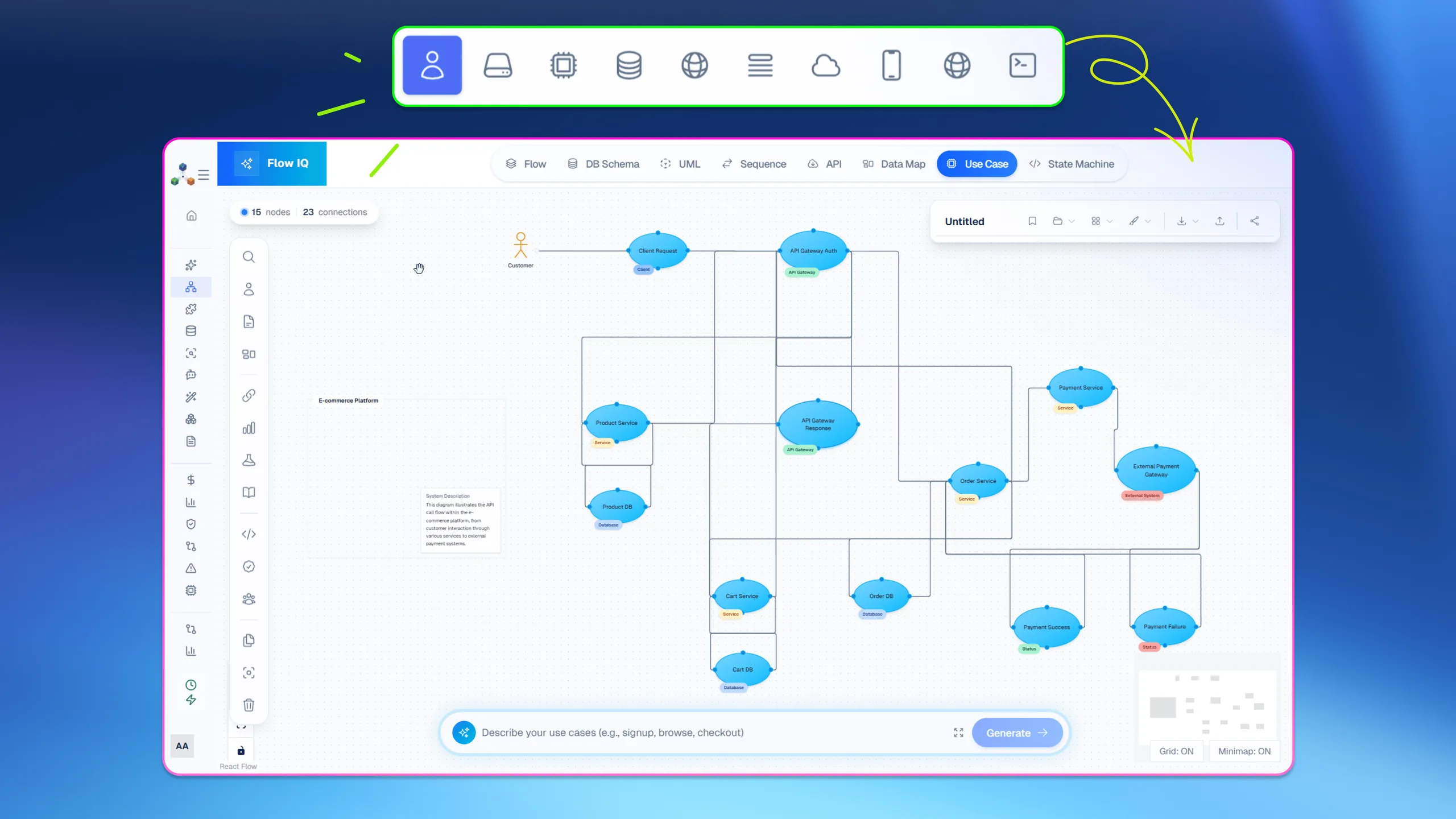
Flow IQ expands Architecto beyond cloud topology by giving teams specialized design surfaces for the models that surround architecture work. It keeps those diagrams in the same product narrative so architecture, process, and delivery artifacts stay aligned.
Design
Prompt, code, pattern, or live context
Review
Cost, threat, scale, and compliance
Document
CoDocs, HyperDocs, and share links
Govern
Discovery, drift, and IaC continuity
Eight dedicated designers
Create flowcharts, database schemas, UML, sequence diagrams, API models, data maps, use cases, and state machines in one product.
Shared design vocabulary
Give architecture, data, and process diagrams a consistent level of visual clarity across the team.
Connected architecture context
Use Flow IQ outputs to enrich solution design, documentation, and stakeholder communication.
How it works
The workflow behind Flow IQ.
Each step exists to reduce time-to-clarity for technical teams without forcing them into a separate diagramming or documentation toolchain.
Step 1
Select the design surface
Start from the diagram type that best matches the problem you need to explain.
Step 2
Model the system behavior
Capture entities, interactions, processes, and transitions with a purpose-built editor.
Step 3
Link it back to delivery
Use the diagram in reviews, docs, and architecture planning across the wider platform.
Best fit
Integrations
Outputs
Related features
Explore the rest of the workflow.
Data architecture visibility
DB Visualizer
DB Visualizer turns schema work into a navigable visual system, then lets teams use AI assistance to improve schema shape and documentation.
AI-native architecture creation
Architect AI
Architect AI creates structured architecture diagrams from intent so teams can start with a real system view instead of a blank canvas.
AI documents with visuals
HyperDocs
HyperDocs combines an editor, AI generation, and rich visuals so architecture communication does not stall after the diagram is done.
Next step
See Flow IQ inside the full Architecto workflow.
Start on the free plan, then move from this feature into the larger architecture, review, and documentation flow when the team is ready.